> For the complete documentation index, see [llms.txt](https://docs.zerowork.io/llms.txt). Markdown versions of documentation pages are available by appending `.md` to page URLs; this page is available as [Markdown](https://docs.zerowork.io/using-zerowork/using-selectors/how-to-use-xpath-in-zerowork.md).
# How to Use XPath in ZeroWork
ZeroWork supports both CSS and XPath selectors.
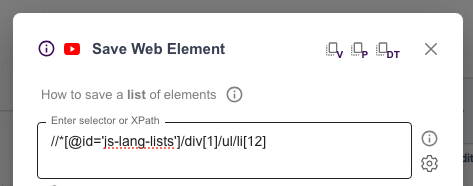
TaskBots will automatically recognize an XPath selector, when it starts with double slash //. Example below.
Additionally, you can also explicitly state xpath like so: `xpath=//button`.
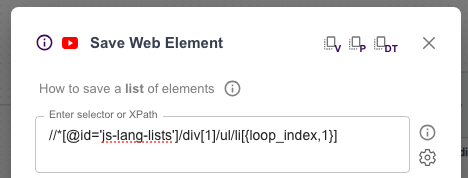
To iterate over a list of incrementing XPath selectors, use the same syntax with loop\_index, as explained here: [Standard Loop](/using-zerowork/using-building-blocks/start-repeat/standard-loop.md#how-to-use-loop-index-syntax-to-save-lists-of-public-data). Example below.